Tour the whole console in ten minutes
A ten-minute tour
Each step opens the right screen in the demo.
-
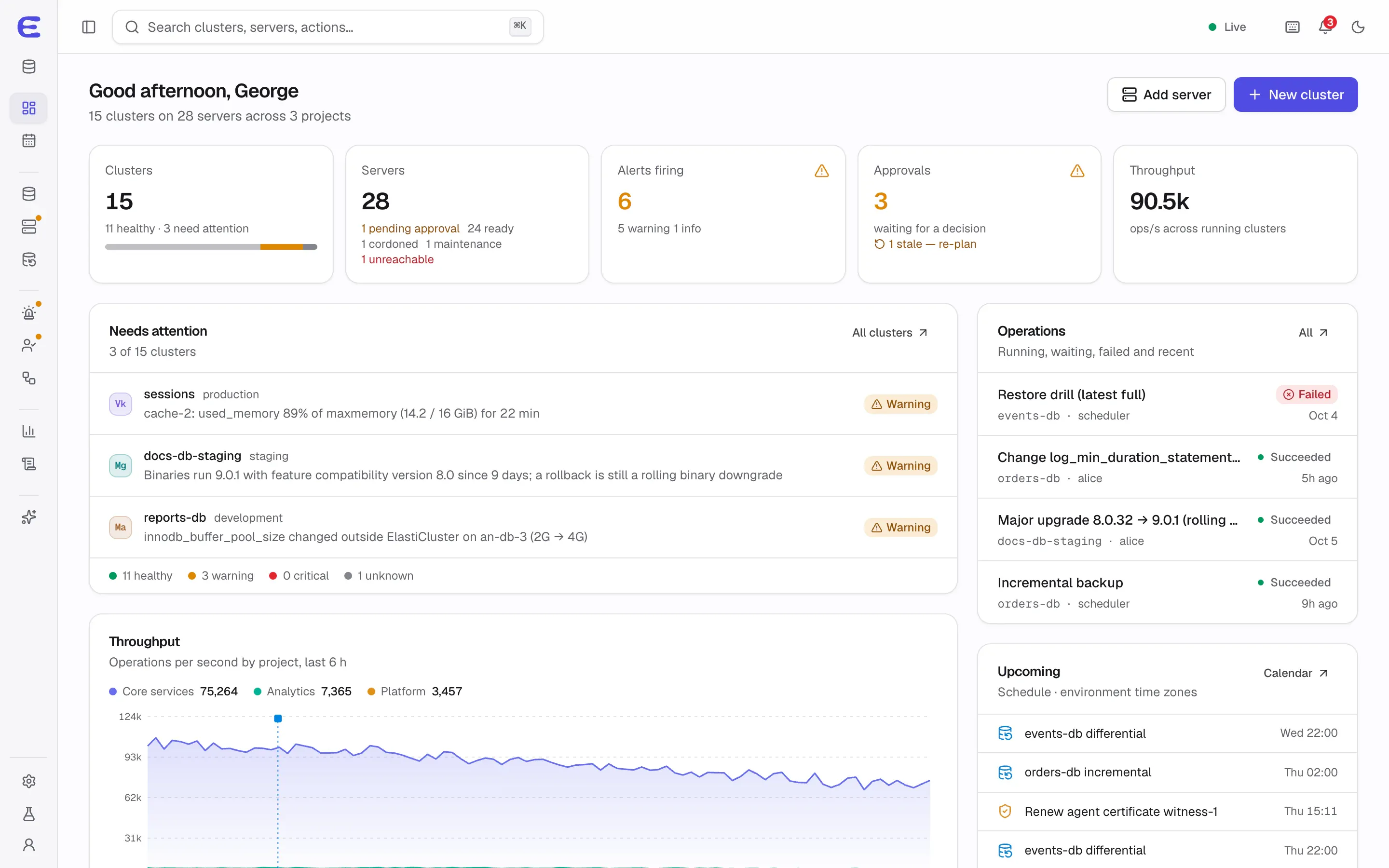
Start at the dashboard
Health across 15 clusters and 28 servers, what needs attention, running operations, approvals waiting and the upcoming schedule.
-
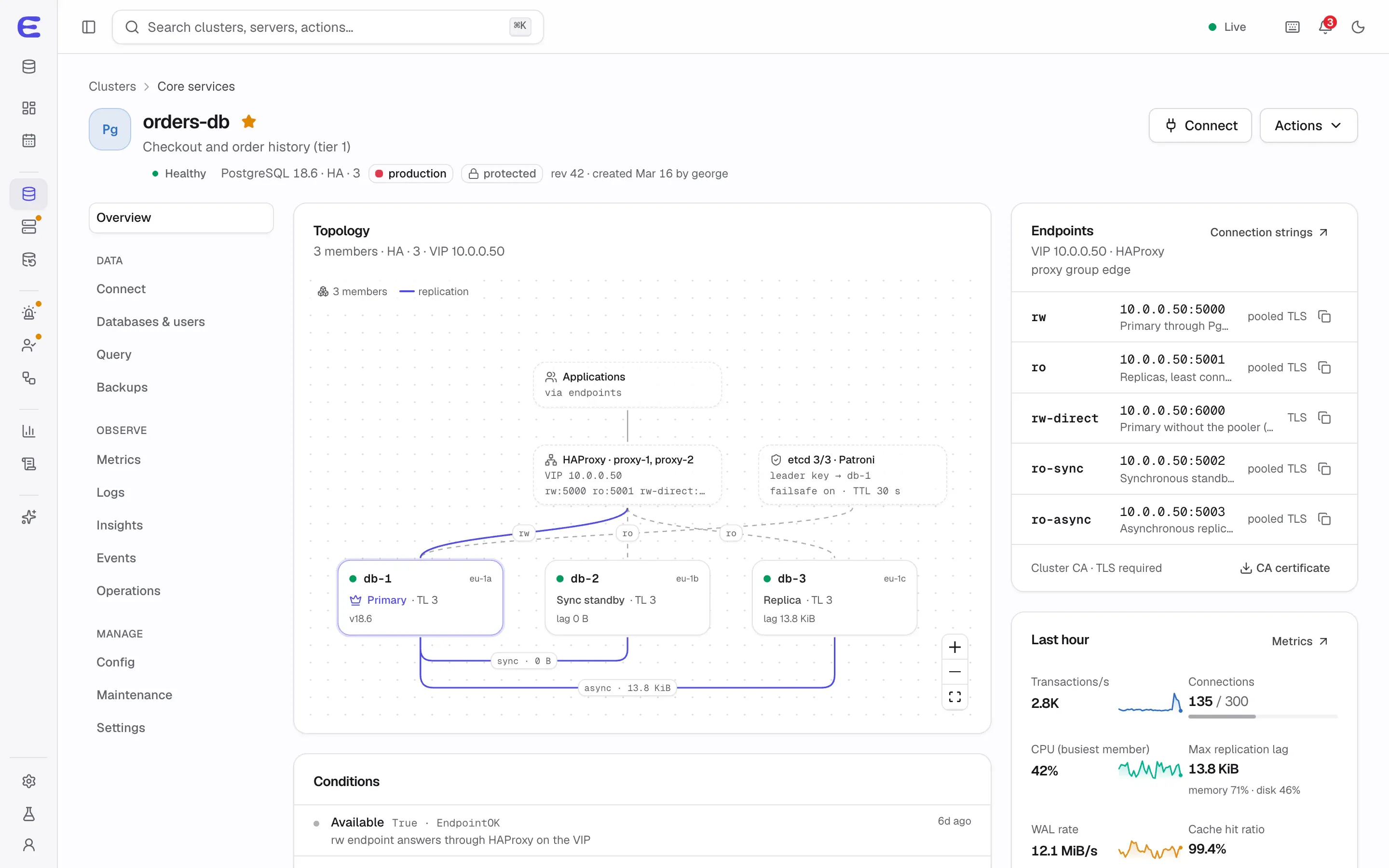
Open a production PostgreSQL cluster
orders-db shows its live topology: the primary, a synchronous standby, a replica, replication lag, the etcd quorum and HAProxy on a virtual IP.
-
Break the primary
Open Demo controls at the bottom of the sidebar and run “Primary failure → automatic failover”. Alerts fire, the primary moves to db-2, and db-1 rejoins as a replica.
-
Plan a rolling restart
Choose Actions, then Restart (rolling). The plan lists four actions with risk, disruption and policy; Apply now turns it into a live operation with step logs.
-
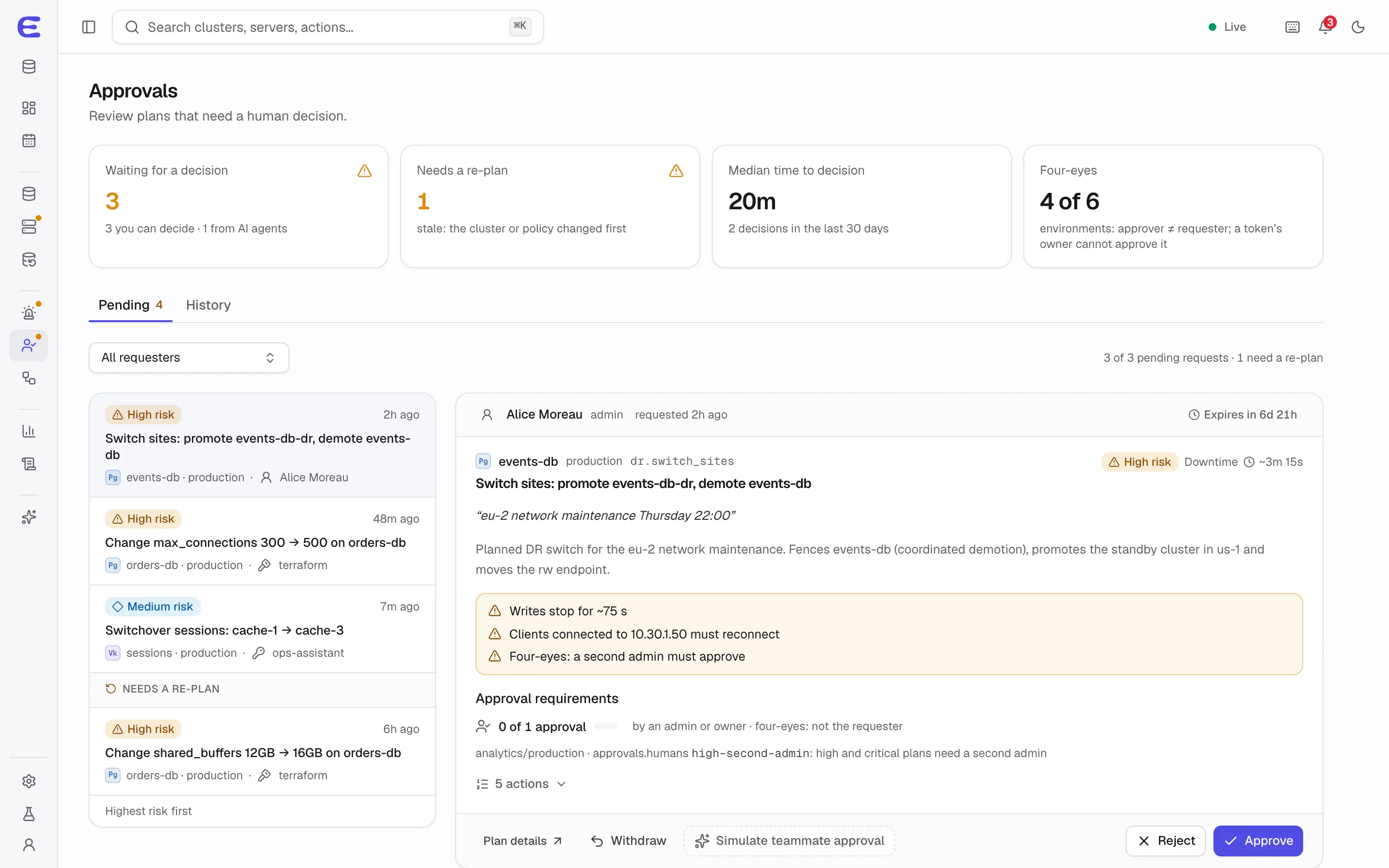
Let an AI assistant ask for a change
In Demo controls, run “AI agent requests a change”. A Claude Code assistant proposes a high-risk plan its limits can’t apply in production; review it in Approvals.
-
Jump anywhere with the command palette
Press ⌘K (Ctrl+K on Windows and Linux) and type “switchover sessions” to go straight to a plan.
-
Create a cluster
Start from a template or go through the eight-step wizard with preflight checks, a plan preview and the generated specification.
-
Add a server
Bootstrap over SSH or copy a one-line install command with a join token; the agent runs as a container by default.
-
Restore to a point in time
The restore wizard on orders-db picks a moment in the recovery window and restores it into a new cluster. Drills are under Backups.
-
Connect an AI assistant
Choose an assistant and its access, see the effective permissions per environment, and get the setup snippet.
Demo controls
The Demo controls button at the bottom of the sidebar changes what the simulation does:
- Scenarios
- Primary failure and failover, an AI change request, a MongoDB replica set losing its majority, a disk filling up, a failing backup, a new server enrolling and a lost live connection.
- View as role
- Owner, admin, operator, developer or viewer: actions disappear or are disabled with the reason.
- Loading and errors
- Instant, normal or slow loading, and panels that fail so you can see the retry states.
- Control plane
- Normal, maintenance mode (read-only) and restore mode after a control-plane restore.
- Data
- The full fleet, or a fresh install with onboarding and empty states.
Related
- How it works One control-plane container, a small agent on each Linux server, and databases that keep running when the control plane is down. The architecture behind ElastiCluster, step by step.
- Features Every ElastiCluster capability in one place: high availability, backups, monitoring, DBA tools, AI and MCP, security and server management, each marked as working, in development or planned.
- Roadmap What works in ElastiCluster today, what is being built now, and what each planned release adds, from the PostgreSQL high-availability preview (v0.1) to v1.0.
Open the demo
It takes a few seconds to load and works best on a laptop or desktop screen.