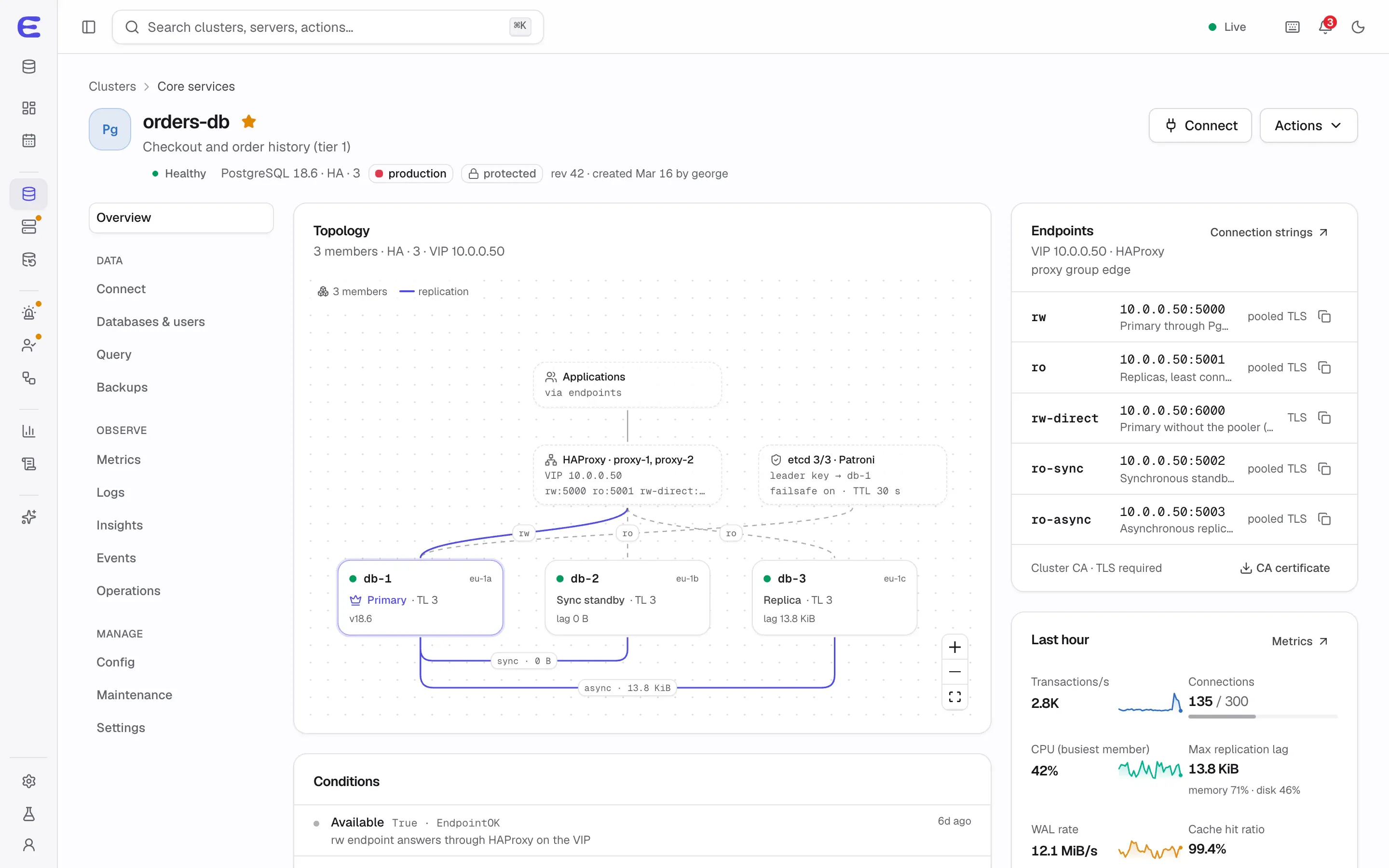
A highly available database on three servers you rent or own
You run a product on a few servers at Hetzner, OVH or in your own rack. You want PostgreSQL that survives a dead
server, backups you have actually restored, and alerts before users notice, without learning Patroni from scratch,
writing Ansible or running Kubernetes for one database.
Three Linux servers for the database: three data members, or two plus a small witness that
only votes. Debian, Ubuntu, Rocky Linux or AlmaLinux on amd64 or arm64.
A place for the control plane: one container with 1 vCPU and 2 GB of memory is enough for a
small fleet. It can run on a small separate machine; the databases never depend on it.
An S3-compatible bucket for backups, such as Hetzner Object Storage, Backblaze B2 or Cloudflare R2.
A way for clients to find the primary: a virtual IP where your network allows one, which works
on many dedicated-server and on-premises networks but usually not in public clouds, or a DNS name or the
multi-host connection strings that PostgreSQL drivers support.
The agent installs Docker if it’s missing, checks the server before using it and fixes common settings such as
time sync and transparent huge pages with one click.
The jobs it takes off your plate
Failover at 2 a.m.
Patroni promotes the standby and the endpoint follows it. You read about it in the morning in the event timeline and the alert history.
Planned for v0.1
Connection strings that keep working
One rw endpoint, with pooling, that follows the primary, on a virtual IP or a DNS name.
Planned for v0.1
A second pair of eyes
Every change shows its plan first, so a restart that would drop connections says so before you apply it.
In development now
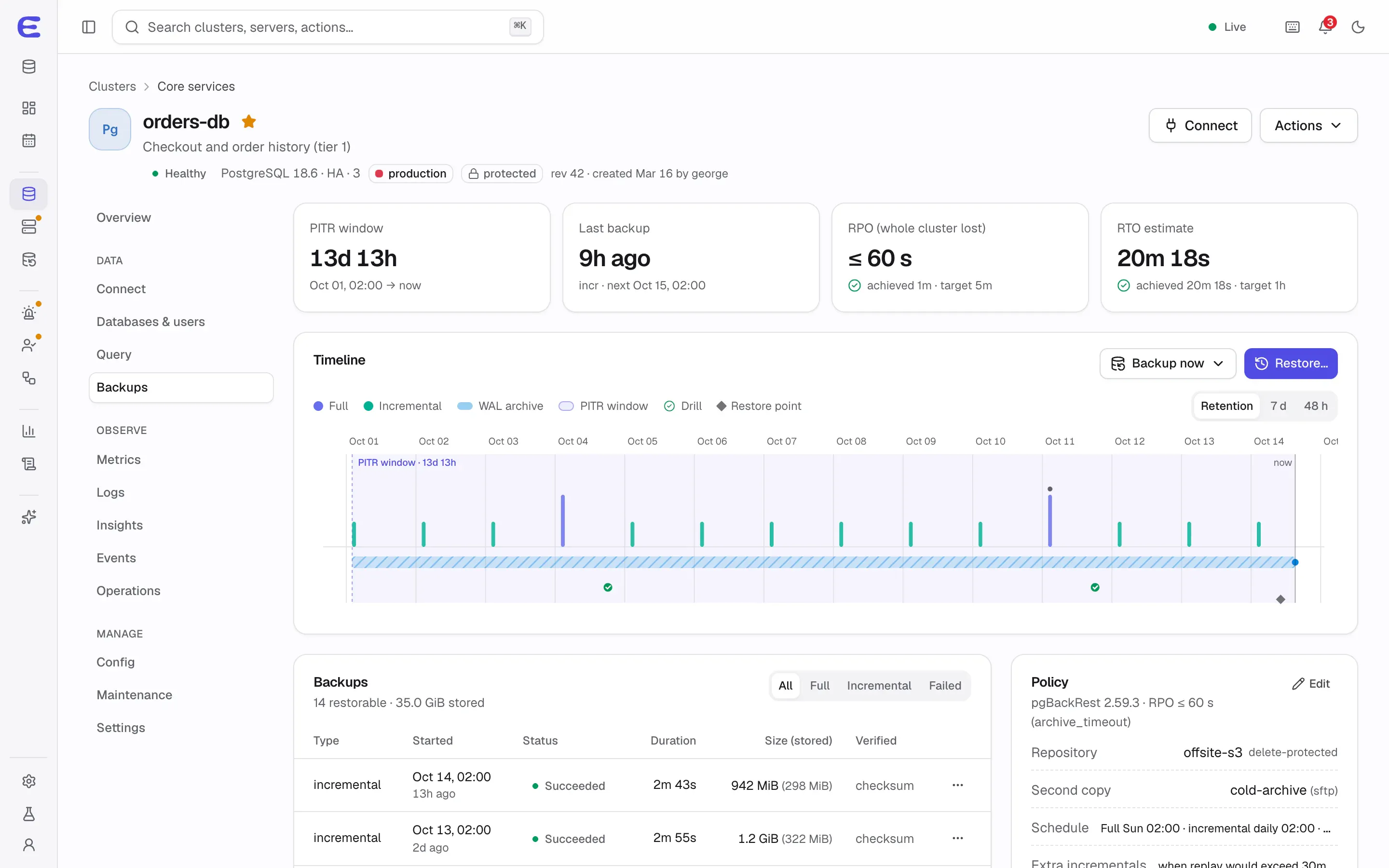
Backups that restore
Encrypted backups to the S3 provider you already pay for, point-in-time recovery, and a drill every week that proves the latest backup restores and how long it takes.
Planned for v0.2
Knowing when something is off
Replication lag, disks filling up, connection limits and failing archives raise alerts with a runbook, by e-mail, Slack, Discord, Telegram or Teams.
Planned for v0.3
Upgrades without a runbook
Minor versions roll through replicas first with one switchover (v0.1); a major upgrade can be rehearsed on a fork before it touches production.
Planned for v0.7
What stays your job
ElastiCluster automates operations, not judgement. You still choose the servers and the provider, size the
cluster, decide how much data loss a failover may cost, respond when an alert needs a decision, and own your
schema and queries. The plans, runbooks and advisor are there to make those decisions quicker and safer.
More than PostgreSQL on the same servers
The same servers can also run Valkey for caches and sessions, and a Garage cluster for S3-compatible object
storage that can also hold your database backups, each with its own plans, backups and alerts. Engines share
servers within memory budgets that the planner checks before anything starts.
Outgrowing a single-instance database
If your database started as a one-click container on a PaaS or a single VM, there is no failover and backups are
often dumps. Moving data into a new ElastiCluster cluster is a dump and restore; for PostgreSQL, adopting a running
database by replication with seconds of downtime is planned for v0.7.
Trying it on one machine
Lab mode, planned for the v0.1 preview, starts the control plane and three practice servers on one machine,
a laptop with Docker Desktop or OrbStack included, so you can create a highly available PostgreSQL cluster, break
it and watch it recover. It shows the behaviour, not real availability. Until then, the
interactive demo lets you trigger a failover in the browser.
When to choose something else
If you would rather not operate databases at all and the cost is acceptable, a managed database service removes
the work entirely. If everything you run is already on Kubernetes, an operator such as CloudNativePG fits better.
And today, ElastiCluster is still in development; see the roadmap for when PostgreSQL
high availability and backups arrive.
The interactive demo runs the whole console on simulated data. Trigger a failover, approve an AI assistant’s
plan, restore a backup to a point in time. Nothing to install.