ElastiCluster runs on servers you already have: dedicated machines, VPSs or VMs. Add one over SSH or with a
one-line install, and a small agent checks it, prepares it and keeps it in the state your clusters need. This part
works in development builds today.
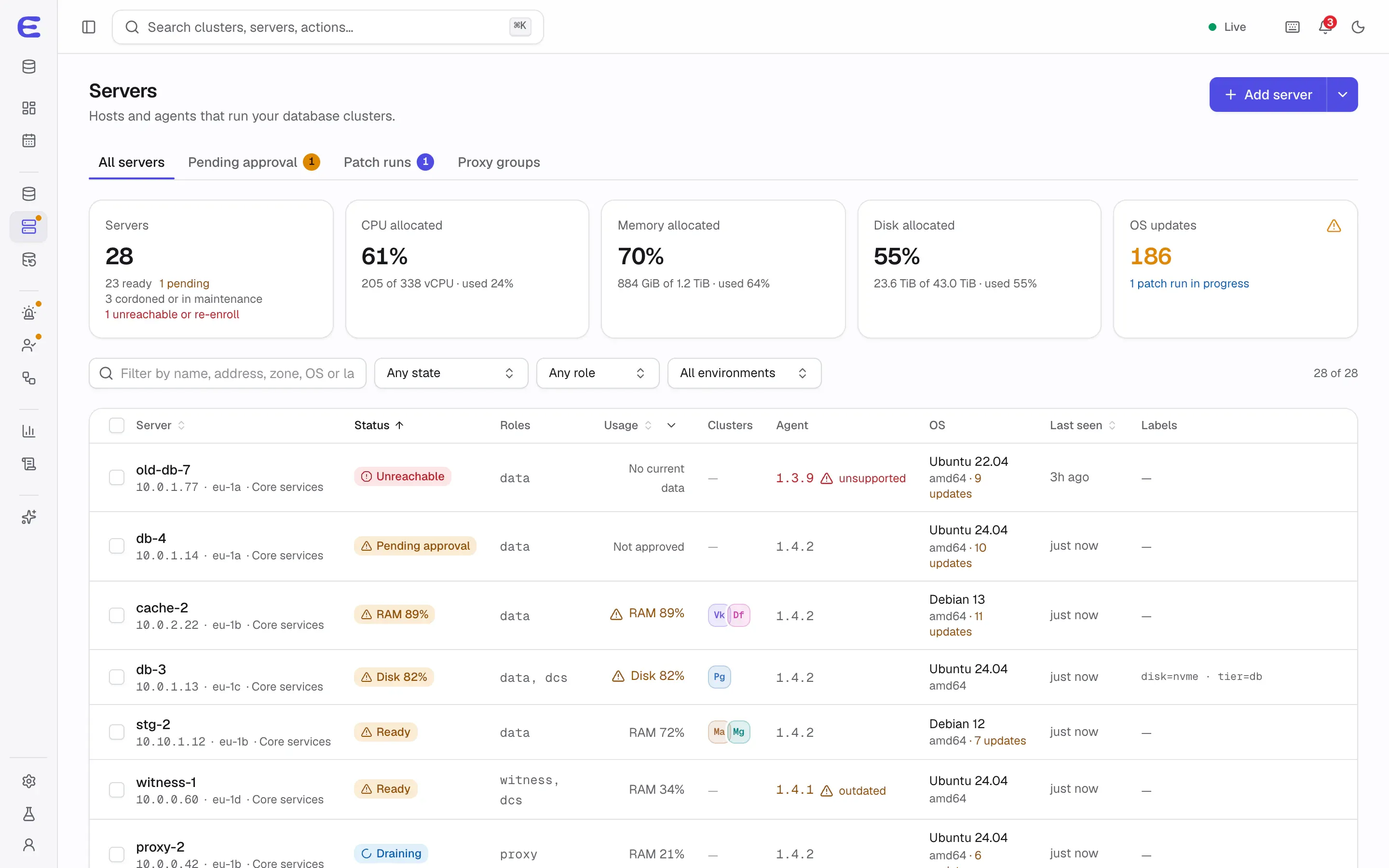
The server fleet, with one server waiting for approval and one unreachable.Interactive demo, simulated data.
Open this screen in the demo
Two ways to add a server
Over SSH from the console
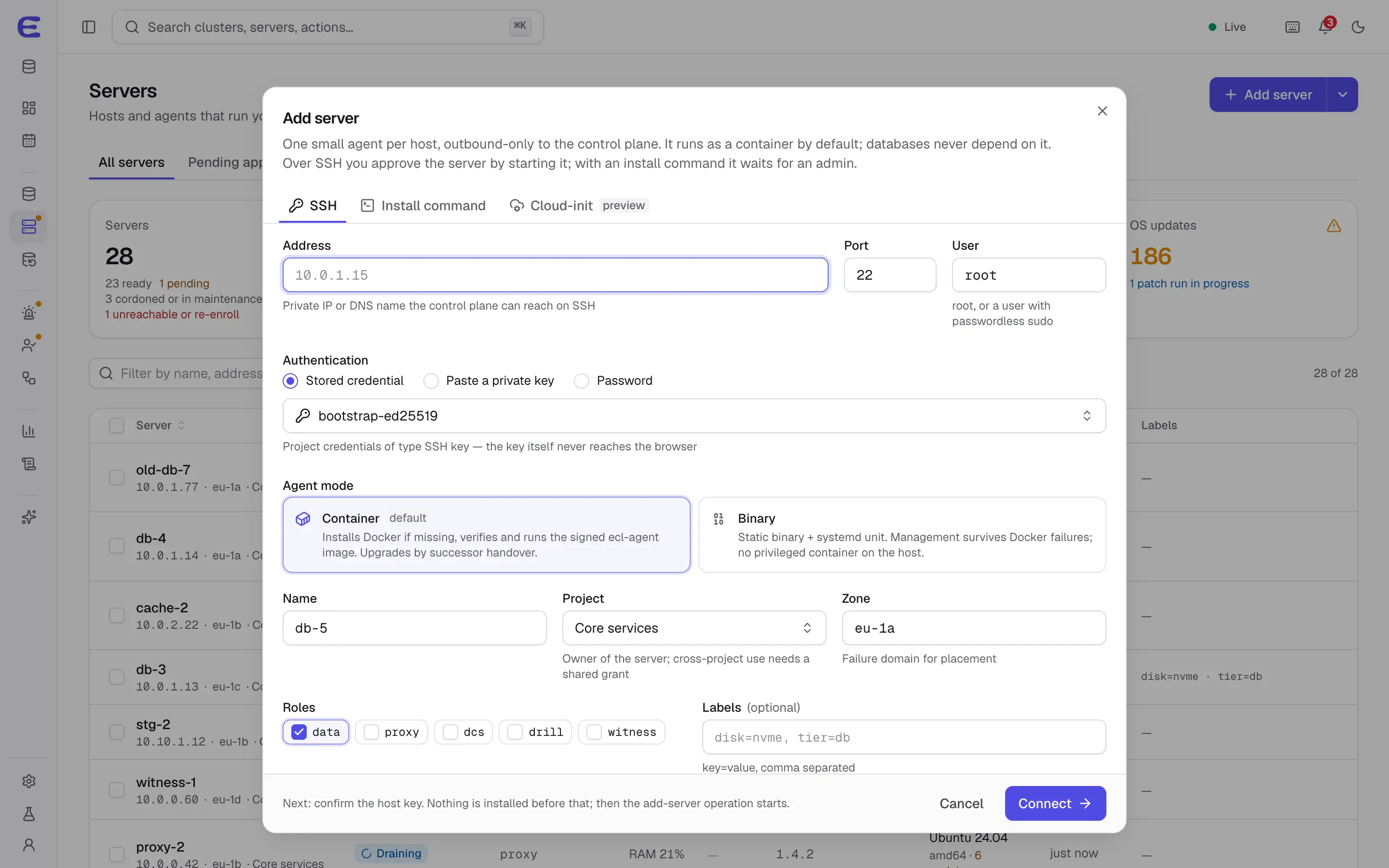
Enter the address and a user with sudo, choose a stored SSH key or paste one, and confirm the server’s host key,
which is never accepted silently. The agent is installed and the server is approved by the admin who added it.
The SSH credentials are discarded afterwards unless you choose to keep them.
With a one-line install
Copy an install command with a join token and run it on the server with sudo. The command pins the control
plane’s public key, so it trusts exactly that control plane even with the internal certificate authority, and the
agent is checked against its signature before it runs. The server then waits under Pending until an admin
approves it.
Join tokens are single-use and expire after an hour by default. Fleet tokens can be used several times and bound
to a source network, a hostname pattern or a machine ID. Tokens can be listed and revoked, and none of them can
approve a server.
Adding a server over SSH, with the agent in container mode.Interactive demo, simulated data.
Open this screen in the demo
A small agent that only dials out
The agent runs as a container by default, or as a plain binary under systemd if you prefer that management
survives problems with Docker. It connects outward to the control plane over mutual TLS, so it works behind NAT
and needs no inbound management port.
Restarting the agent never restarts a database.
Signed updates without restarts: in container mode a new agent takes over from the old one
without restarting any managed container; in binary mode, a new version that fails to connect is rolled back
after two minutes.
A local veto: the server’s owner sets on the machine which data directories, registries and
signing keys are allowed. The control plane cannot change that policy.
Data identity guard: each database’s data directory carries a marker, and a database refuses
to start on data that belongs to something else or on an empty mount point after a disk failed to mount.
Identity that survives mistakes: re-enroll tokens, duplicate and cloned-VM detection, and a
takeover only when you ask for one.
Preflight checks
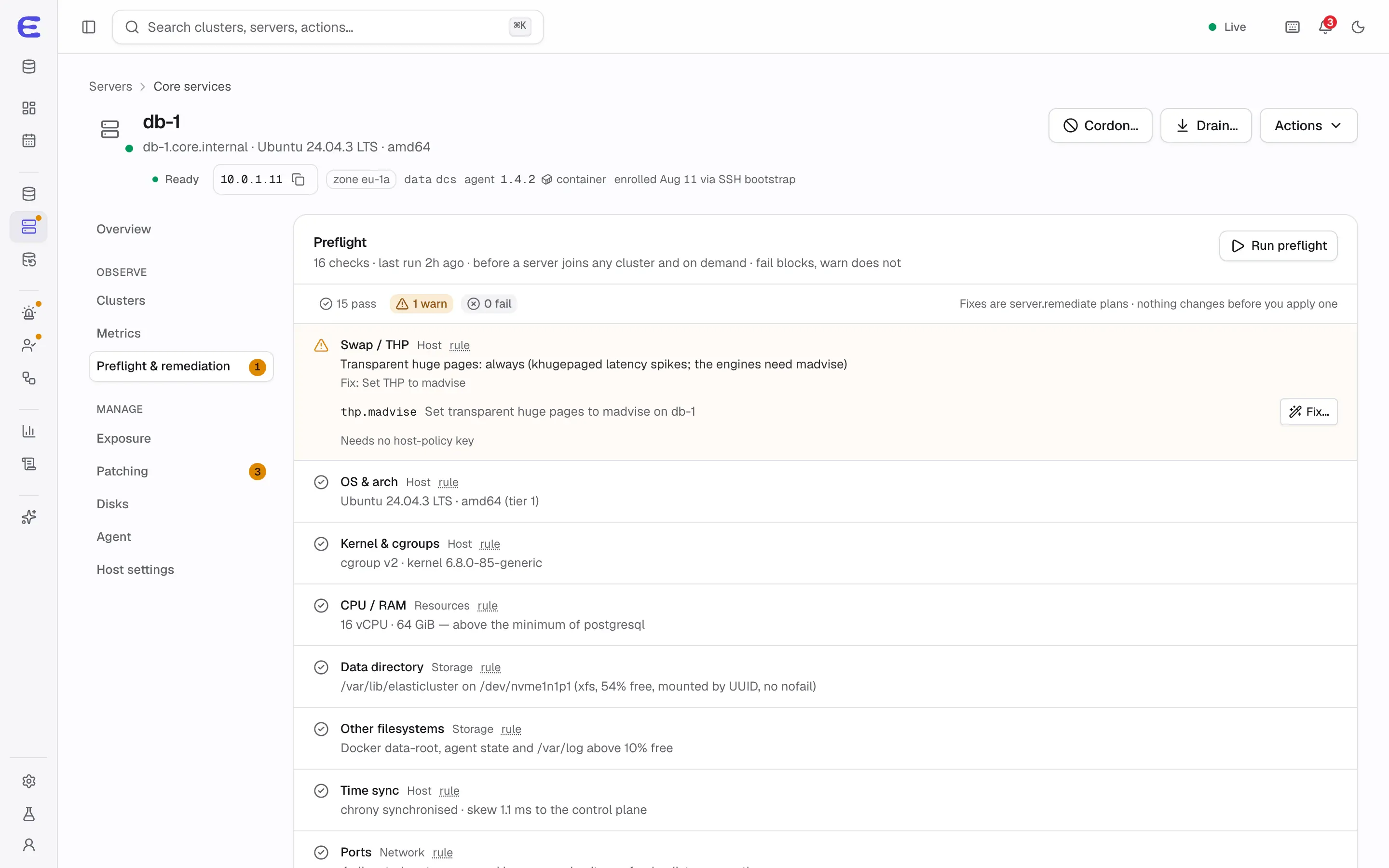
Before a server takes a role, around twenty checks look at the operating system, kernel and cgroups, CPU and
memory, data directory, other filesystems, time sync, transparent huge pages, swap, ports and connectivity to the
other servers. Blocking problems stop the server from being used; others are warnings.
Many problems have a one-click fix that respects the server’s local policy: enabling time sync, setting
transparent huge pages to madvise, tuning somaxconn, overcommit and swappiness,
enabling Docker live-restore and turning off unattended reboots. Firewall fixes are shown as commands for you to
run.
Preflight results for a server, with a one-click remediation.Interactive demo, simulated data.
Open this screen in the demo
Supported systems
The planned first tier, tested on every release, is Ubuntu 24.04 and 26.04, Debian 12 and 13, and Rocky Linux or
AlmaLinux 9 and 10, on amd64 and arm64, with Docker 25 or newer. Ubuntu 22.04, Red Hat Enterprise Linux, Oracle
Linux and CentOS Stream form a second tier. So far, development builds run on Debian 13 lab servers and Proxmox
test containers; the full test matrix is part of the release work.
Coming next
Planned for v0.1Draining and returning servers, and changing a server’s address with a plan.
Planned for v0.8Operating-system patching in waves that keep every cluster available, managed host settings, data-disk preparation and a managed firewall mode.
Planned for v0.8HTTP proxies for agents and fully offline installs from signed bundles for air-gapped networks.
The interactive demo runs the whole console on simulated data. Trigger a failover, approve an AI assistant’s
plan, restore a backup to a point in time. Nothing to install.