Query the data, see what is slow, find who holds a lock, keep tables healthy and upgrade between major versions,
in the same console that runs the cluster, with the same permissions and audit trail.
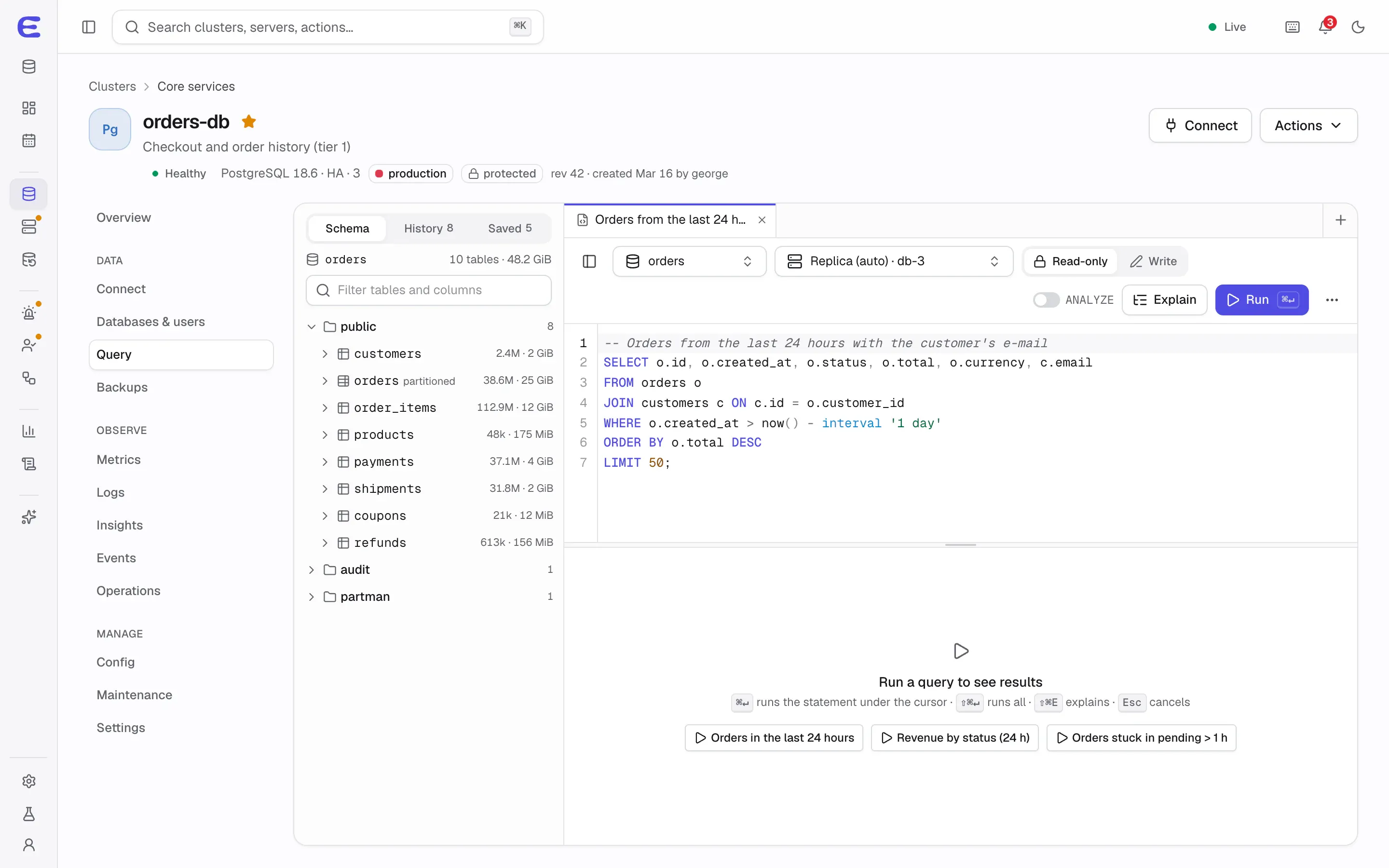
The editor completes table and column names, keeps tabs and drafts, and runs read-only by default, on the least
delayed replica, as a dedicated reader account that can only select. The read-only guarantee comes from the
database’s own permissions, not from parsing your query.
Write mode is for people by default and never runs as a superuser; development environments let
AI assistants write too, a switch you control. In production you unlock it for a session with a reason; it locks
again after 15 idle minutes and lasts an hour at most.
EXPLAIN shows the plan as a tree. EXPLAIN ANALYZE of a data change runs inside a transaction
that is rolled back.
Results show up to 10,000 rows and export to CSV, JSON or SQL inserts; larger exports go to object storage.
Saved queries, history and a schema browser; a table data editor for tables with primary keys is planned for v0.7.
As each engine arrives, it gets its own workspace: a document workspace with find, aggregation and explain for
MongoDB and a key browser and console that refuse dangerous commands such as FLUSHALL for Valkey and
Dragonfly (v0.4), and an object browser for Garage (v0.6).
Sessions, locks and slow queries
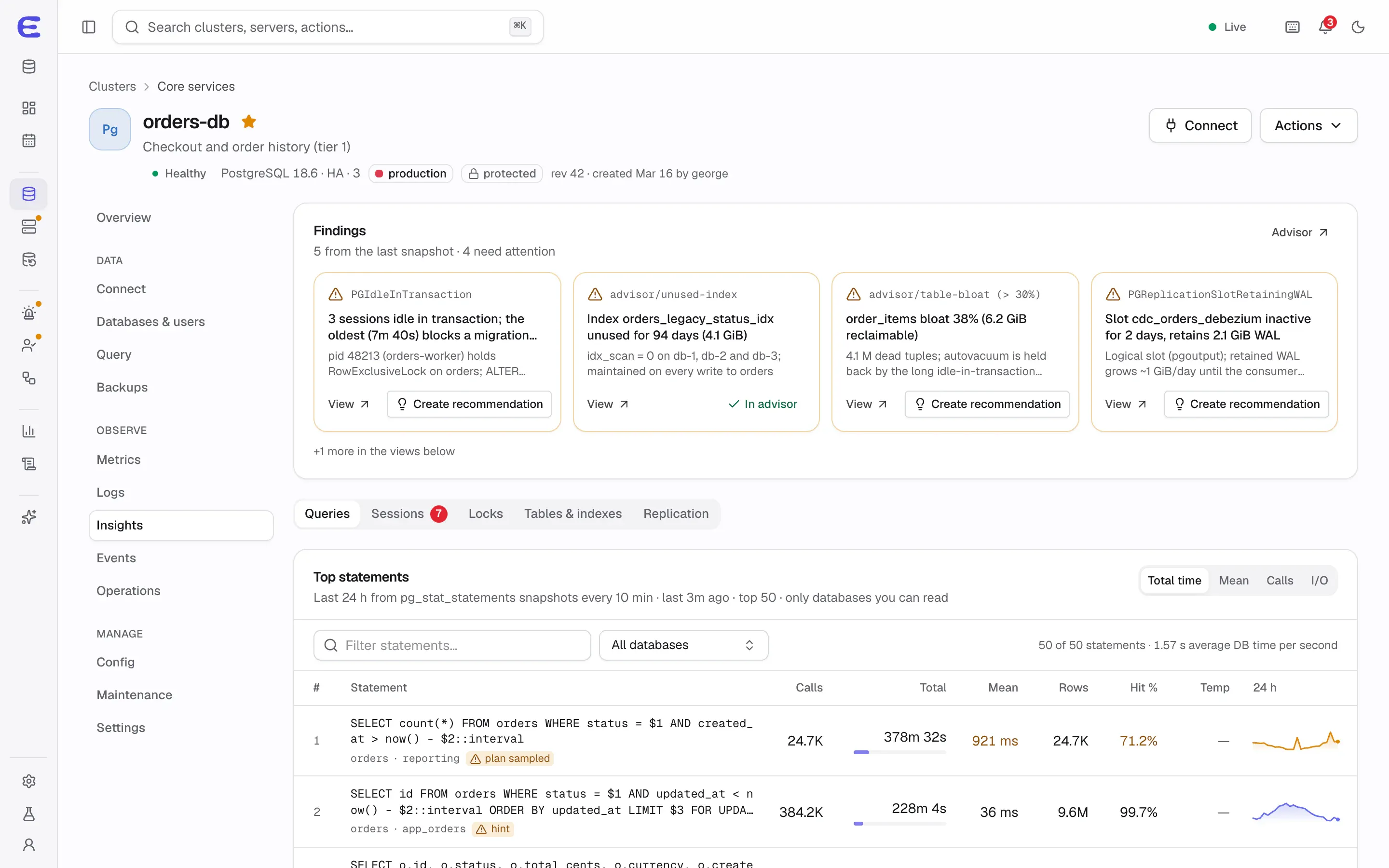
The sessions view shows what is running and a tree of who blocks whom. Cancelling a query or ending a session is
a one-step plan that double-checks it is still the same session and never touches replication or Patroni’s own
connections. Query insights keep regular snapshots of pg_stat_statements, so the top statements by
total time, calls and rows are there with their history, with equivalents for the other engines.
Query insights with findings and the top statements over the last 24 hours.Interactive demo, simulated data.
Open this screen in the demo
Maintenance jobs and the advisor
Scheduled jobs handle the routine work: REINDEX CONCURRENTLY, pg_repack, partition
maintenance and MongoDB compact on secondaries. Jobs respect maintenance windows and skip a run when
replication lag, CPU or disk load is high.
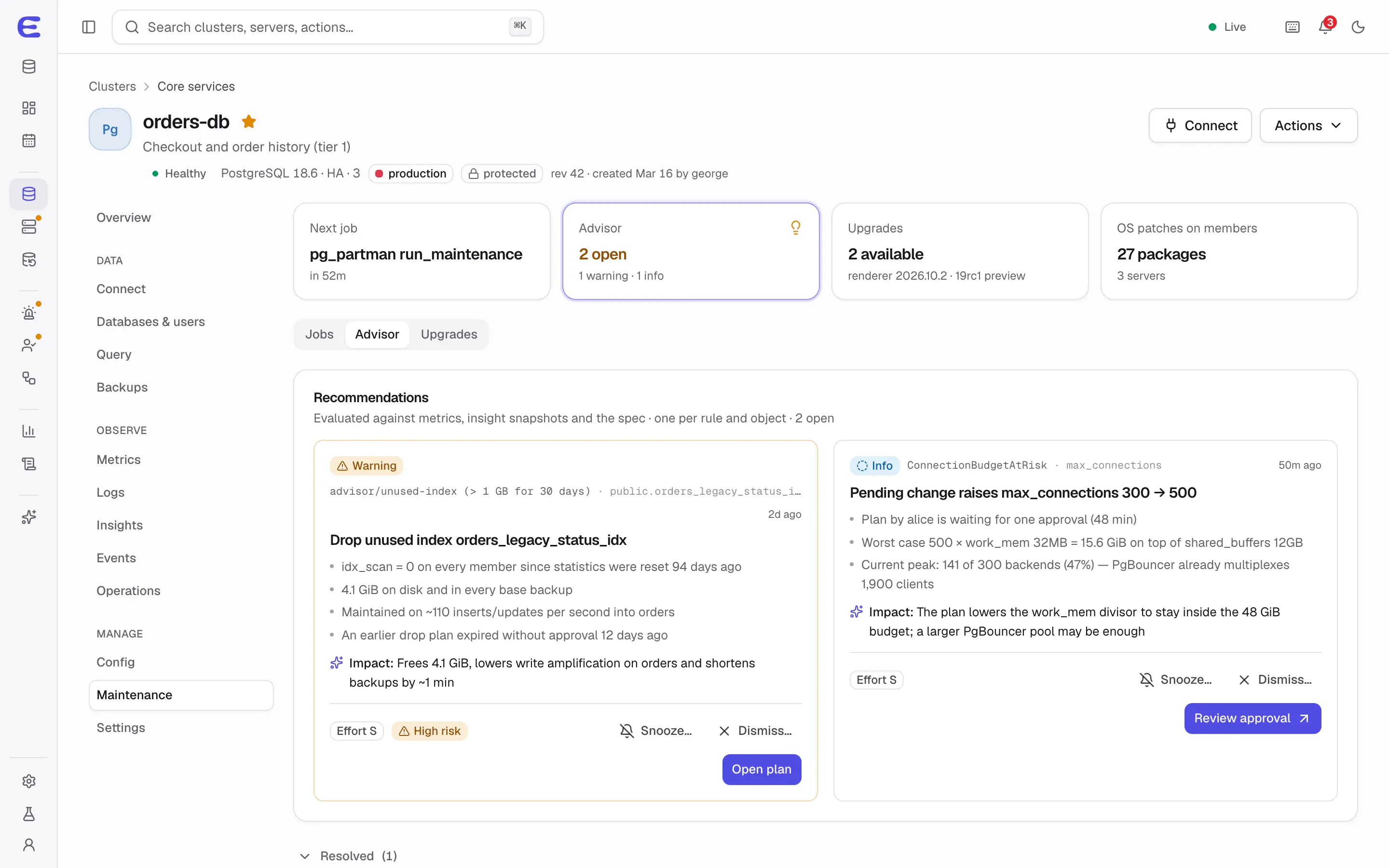
The advisor turns evidence into recommendations, such as a cache hit ratio below 95%, connections above 80% of
the limit, an index over 1 GB that nobody has used for 30 days, or an engine version reaching end of life within
90 days. Each recommendation shows its evidence and opens as a plan with one click, or can be snoozed or
dismissed. Maintenance jobs and the advisor are planned for v0.7.
Advisor recommendations with their evidence; each one opens as a plan.Interactive demo, simulated data.
Open this screen in the demo
Major upgrades without guesswork
A PostgreSQL major upgrade can first be rehearsed on a fork of the cluster. The real upgrade then fences writes
on every path, archives the last log segment, runs pg_upgrade and verifies the result while writes
are still fenced.
The plan names a commit boundary. Before it, rolling back loses nothing; after it, the upgrade is forward-only,
and the plan says so in advance. Write downtime is typically minutes and largely independent of data size.
MongoDB upgrades are rolling, followed by a separate finalize step that is its own approval. Major upgrades are
planned for v0.7.
Minor upgrades and OS patching
Minor versions roll through the cluster replicas first, with one switchover. Automatic minor upgrades are on for
staging and development and off for production by default. Operating-system updates run in waves that never take
two members of the same cluster, or two quorum voters, at once: each server is drained, updated, rebooted if
needed and returned only when healthy. OS patching is planned for v0.8.
Moving data in
Existing databases are imported into a new cluster with a dump and restore. Existing PostgreSQL clusters,
including ones managed by Autobase, can be adopted by replication with seconds of downtime, planned for v0.7.
Status
The SQL editor, schema browser, sessions and locks, and query insights are planned for v0.3;
maintenance jobs, the advisor, major upgrades and data import for v0.7.
The interactive demo runs the whole console on simulated data. Trigger a failover, approve an AI assistant’s
plan, restore a backup to a point in time. Nothing to install.